NOC automation
Bring monitoring context and approved remediation into the alert without giving arbitrary commands to operators. Every run is tenant- and team-scoped, checked against its integration allowlist, and written to the alert timeline and audit log.
- Configure integrations as a tenant admin.
- Use one integration per trust boundary or owning team.
- Keep bridge signing secrets and provider tokens in the dedicated integration fields; API responses mask them.
Google Cloud Monitoring intake
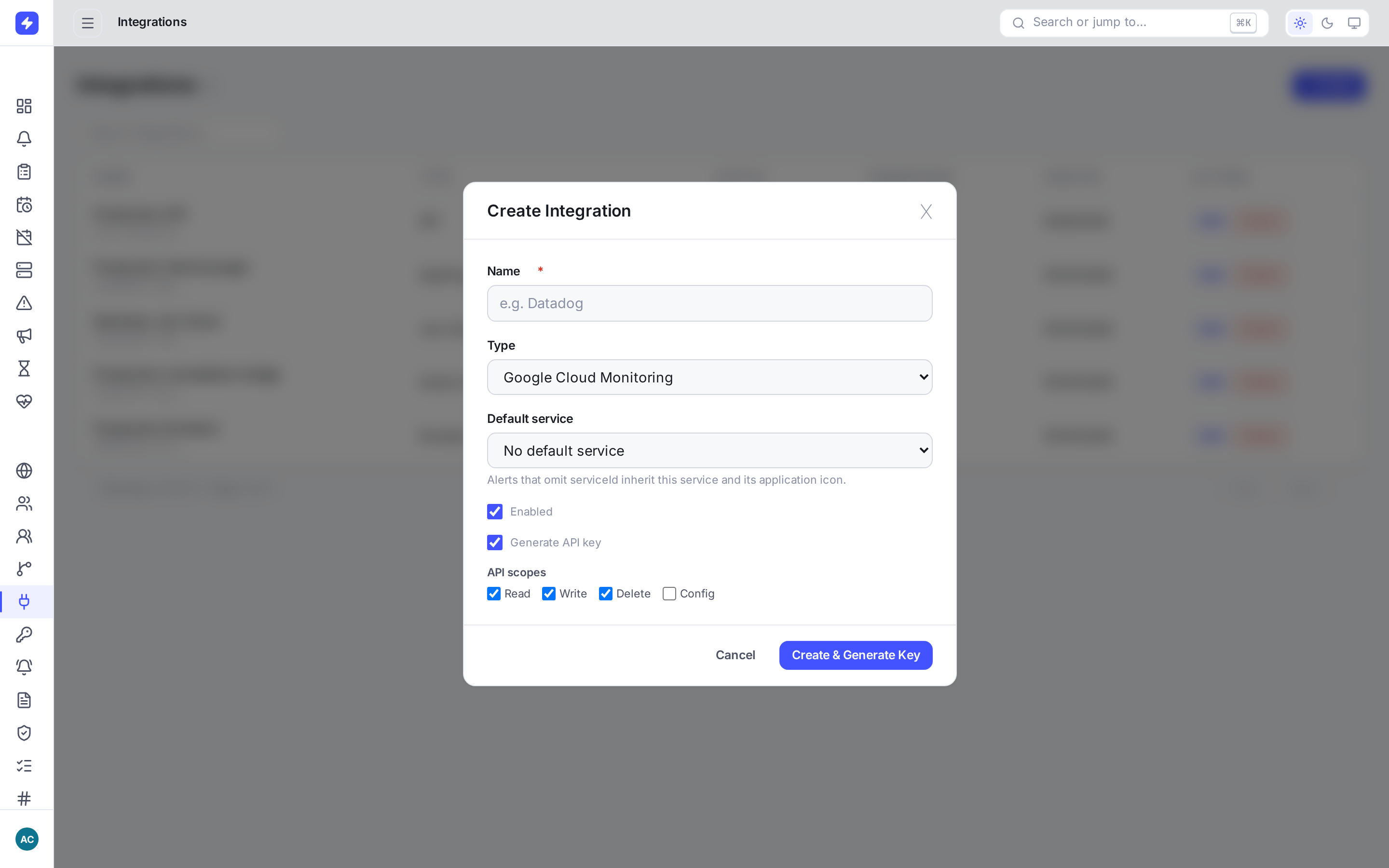
Create the integration
Open Integrations, add Google Cloud Monitoring, and copy its inbound webhook URL.
Configure a Cloud Monitoring notification channel
Send the native Cloud Monitoring webhook payload to that URL. OpsPing uses
incident.incident_idas the stable lifecycle identity.Verify the lifecycle
An
openincident creates one alert. Repeated open notifications deduplicate into it. Aclosednotification resolves the same alert. Critical, error, warning, and info severities map to P1–P4.
A missing incident ID, missing state, or unknown state returns a validation error and creates no partial alert.
Signed action and enrichment bridges
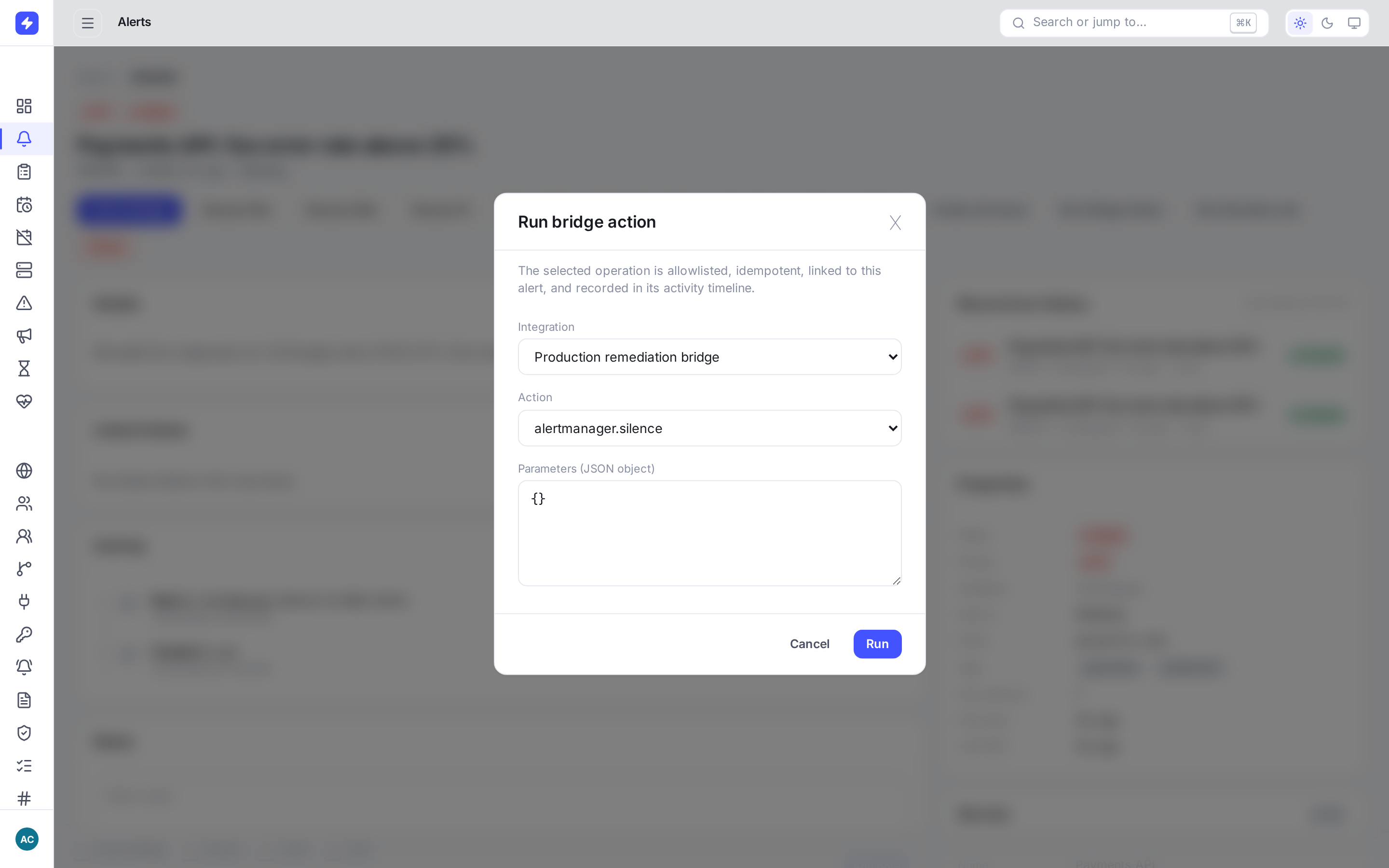
An action bridge lets OpsPing call an internal CIRT, SOAR, or Alertmanager adapter without building provider-specific authority into OpsPing.
Configure the bridge
Add an Action & Enrichment Bridge with an HTTPS endpoint, signing secret, and comma-separated action allowlist. Typical names are
cirt.create-caseandalertmanager.silence.Verify requests
Compute HMAC-SHA256 over the ASCII Unix-seconds timestamp, a dot, and the exact raw request body. Compare
X-OpsPing-Signaturewithsha256=<lowercase hex digest>using a timing-safe comparison, reject staleX-OpsPing-Timestampvalues, and deduplicate the idempotency key supplied in both the JSON body andX-OpsPing-Idempotency-Key.Return structured context
Respond with a required
statusplus optionalexternalId, absoluteurl,message,fields,links, anddata. The bridge-run record keeps the full structured response. Alert activity includes status, external identifiers and URL, fields, and labeled links.
{
  "version": "1",
  "operation": "action",
  "action": "alertmanager.silence",
  "idempotencyKey": "…",
  "alert": { "id": "…", "priority": "P1", "status": "open" },
  "parameters": { "duration": "30m" }
}
Allowlisted Rundeck jobs
Create a restricted API token
Give the Rundeck principal access only to jobs that responders may launch.
Configure the allowlist
Add a Rundeck integration with its HTTPS base URL, API token, and exact comma-separated job UUIDs.
Run from an alert
Choose Run Rundeck Job, select an allowed job, and provide string-valued options as JSON. OpsPing records the actor, options, execution ID, URL, start time, and returned status. API retries deduplicate only when they reuse the same idempotency key for that alert and run type. A fresh dialog submission creates a new key, so after an ambiguous timeout inspect the recorded run or provider before submitting again.
Safety boundaries
- Use stable public HTTPS targets. Configuration rejects loopback, private, link-local, and metadata destinations; redirecting endpoints are not supported.
- Bridge actions and Rundeck jobs must exactly match their integration allowlists.
- Integration and alert tenant/team scopes must both match the caller.
- Secrets are masked in API responses and omitted from logs; restrict integration-management access and rotate credentials on exposure.
- Provider failures are recorded as failed runs; OpsPing does not claim success.