Status pages
Your customers find out about outages one way or another. A status page lets you tell them first, on your terms: a hosted page at status.opsping.com/<slug> with curated incident updates, 90-day uptime bars, and optional email subscriptions. This guide covers setup, publishing incidents, subscriptions, and sharing.
- Admin access. Status Page is a dedicated sidebar destination.
- At least one incident you want to publish, per Incidents & services.
-
Create and configure the page
Open Status Page from the sidebar. Enter a unique slug and brand name to create the page, then configure:
- Visibility — public, secret-link, or login. Login visibility requires an authenticated account in the same workspace.
- Branding and services — the name, message, and service health shown to viewers.
- 90-day uptime bars — optional and off by default; enable them per service when wanted.
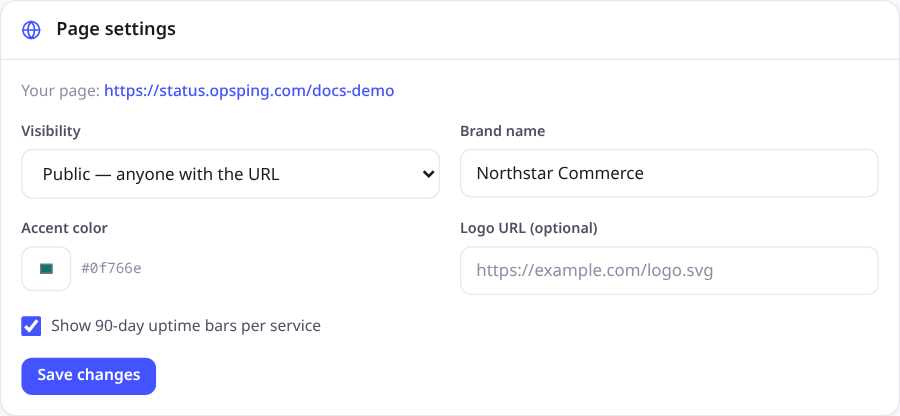
Page settings keep access, branding, and uptime history together. The hosted URL is ready to copy as soon as the page is configured. NotePages are hosted on the
status.opsping.comdomain — custom domains aren't supported yet. -
Publish an incident
Status pages don't mirror your alert queue — publishing is a deliberate act. On the incident detail page, the publish panel creates a
statusPageEntry: a customer-facing summary, separate from the internal timeline you write for responders.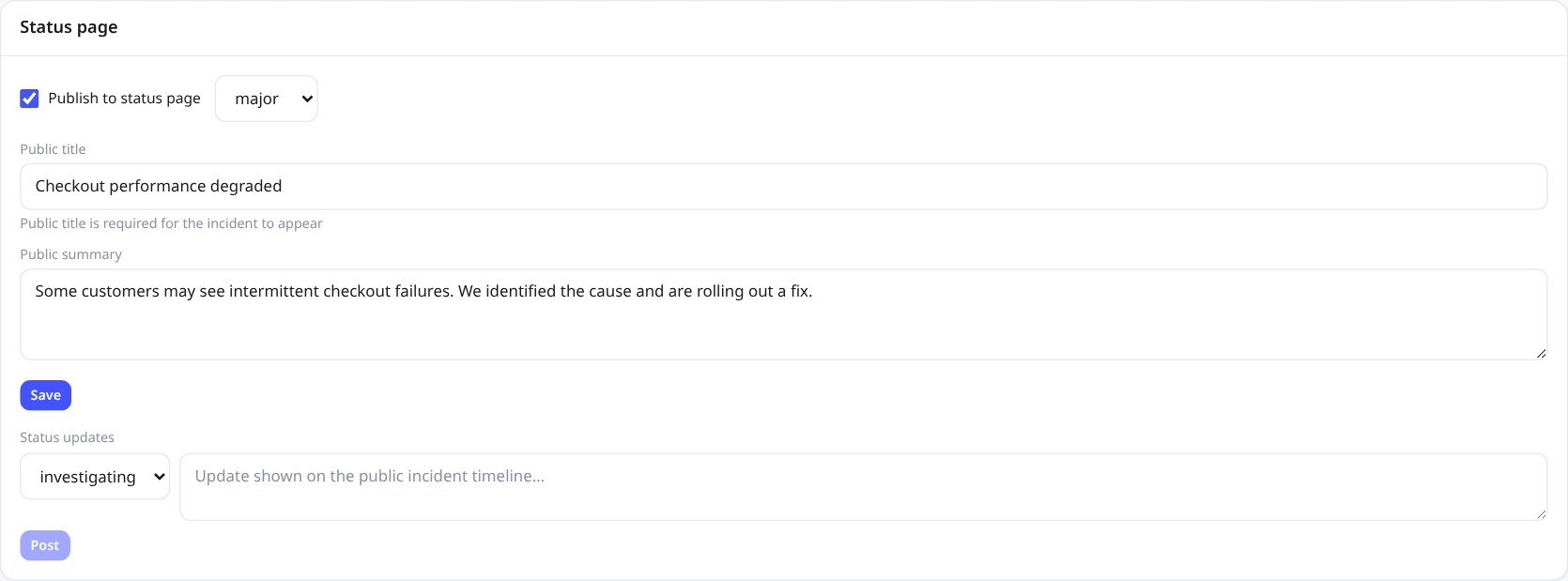
Publishing is controlled from incident detail. The public title and summary are separate from internal incident notes; the update composer adds timestamped customer-facing progress. As the incident progresses, post public timeline updates — investigating, identified, monitoring, resolved — and each one appears on the page with a timestamp. Customers see the story you choose to tell; the internal timeline, linked alerts, and responder chatter stay internal. Regenerating or editing the entry later keeps your published edits intact.
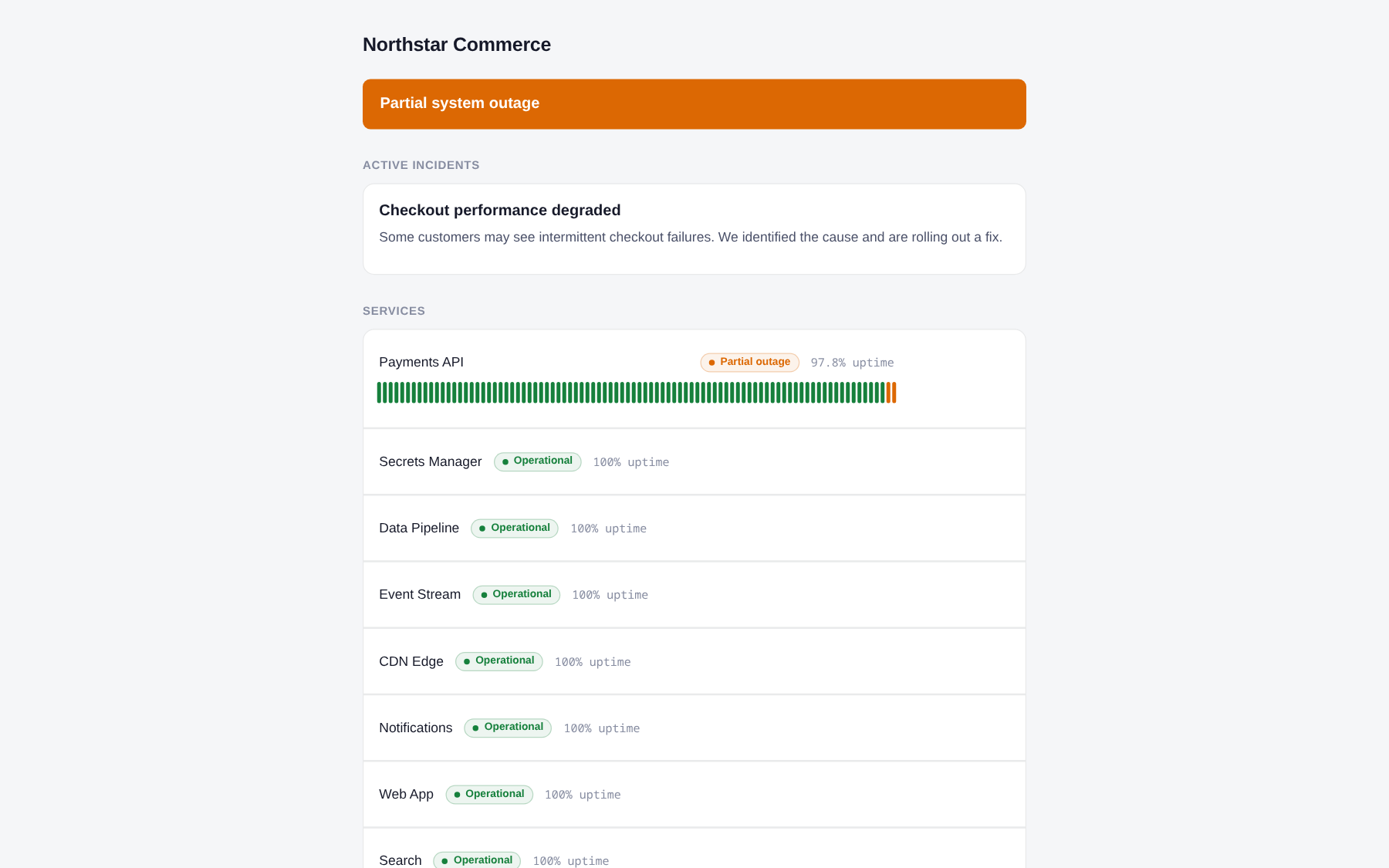
The resulting public page leads with current impact, then shows the affected component and its 90-day history. Other services remain visibly operational. TipPublish within the first few minutes of a customer-impacting incident, even if the update is just "we're aware and investigating." A stale page during an outage costs more trust than the outage itself. Resolve publicly when it's fixed — the resolved entry is the receipt.
To email subscribers about maintenance, enable status-page announcements on that maintenance window. Merely displaying the window publicly does not send mail.
-
Email subscriptions
Visitors can subscribe to the page by email. It's double opt-in: they submit an address, get a confirmation email, and only count as subscribed after clicking the link. No purchased lists, no typos paging strangers.
Every notification email carries a one-click unsubscribe link. Subscribers only get mail tied to the page — incident updates and maintenance notifications, nothing else.
-
Share and embed
The public URL is
status.opsping.com/<slug>. Browser links for a secret-link page carry the key in the URL fragment. Copy and share the exact link from Status Page settings.API callers use no authentication for public pages:
curl https://api.opsping.com/v2/public/status-page/paymentsFor secret-link pages, send the key as a header:
curl https://api.opsping.com/v2/public/status-page/payments \
  -H "X-Status-Key: PAGE_KEY"
The response carries the page summary, service uptime bars, and published entries with their public timeline updates — enough to build your own widget, link it from your app's footer, or feed an internal dashboard.
NoteThere's no hosted embed widget yet — the public API is the supported way to render status elsewhere.