Wargames & drill paging
Wargames rehearse the paging path you actually run in production. A drill is a labeled exercise that flows through the same alert intake, schedules, escalation policies and notification rules as a real page — but every notification is marked as a drill, the run is abortable, and drill activity is excluded from production metrics and public status updates. This page describes the capability and its current activation gate.
- The Wargames page in the admin console sidebar (under Respond).
- Role permissions for the drill resources:
drill-templates(save templates),drills(run drills),drill-reports(read reports).
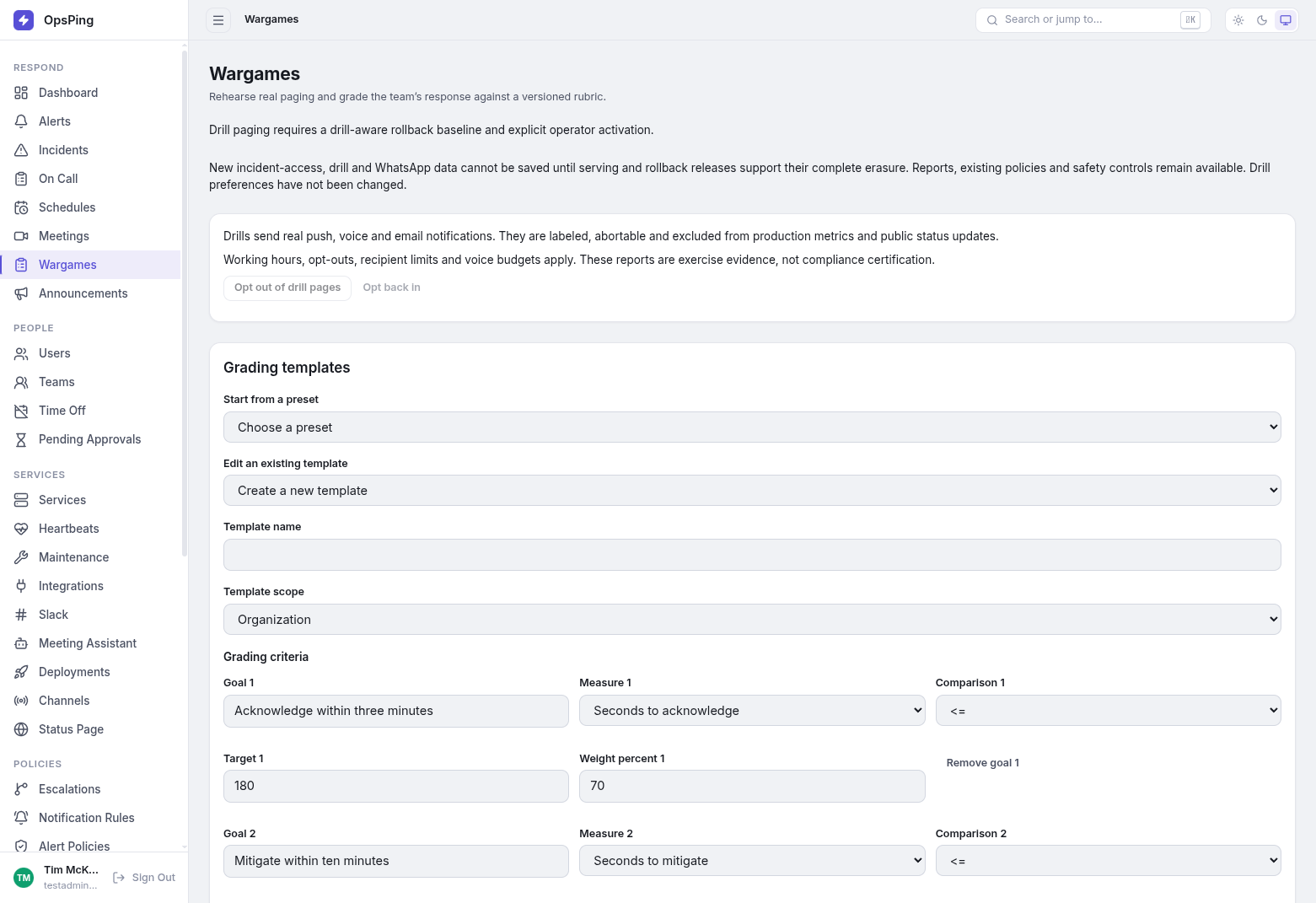
-
What a drill is
A drill run targets a service or an escalation policy and is graded against a versioned rubric template. Criteria measure seconds to acknowledge, seconds to mitigate, escalation hops, missed pages and failed pages, with weights that must total exactly 100%. Runs start immediately or repeat once, daily, weekly, monthly or quarterly. A finished run produces a report card — score and grade, per-phase results, criterion-by-criterion results, the run timeline and voice usage — exportable as PDF, CSV or JSON. Grading records what actually happened; missing evidence is never scored as success, and aborted or interrupted runs keep their timeline but get no grade.
-
Safety envelope
Drills page over push, voice and email only; other channels are suppressed. Each template sets a working-hours timezone and window (weekdays 09:00–17:00 by default), a recipient limit (25 max), daily voice caps (20 per tenant, 3 per user) and a maximum duration (60 minutes). Opt-outs, working-hour windows and budgets are re-checked immediately before every delivery, including retries. Scenario text is withheld from pages while the drill runs, and the run owner, an administrator, or a paged responder can abort it at any time. Drill reports are exercise evidence, not compliance certification.
-
The Slack
/drillcommandThe
/drillcommand is registered with the Slack integration (also reachable as/opsping drill, and renameable on the Slack settings page). It opens a start modal whose live preflight preview shows exactly who would be paged and how many voice calls to expect — the preview creates nothing, and it is re-checked authoritatively at submit./drill statuslists recent runs with Abort, End and Mitigate controls;/drill scheduleslists recurring drills with Disable;/drill optout on|offsets your personal drill-page preference. See Slack ChatOps. -
Availability on your workspace
Drill paging is not active until the workspace's operator explicitly turns it on. While it is off, the Wargames page and
/drillare read-only: no new drills, templates, schedules, preference changes or report exports can be saved, so this guide does not walk through drill creation. Existing drill reports, policies and safety controls remain available — reading past reports, aborting a live run, disabling a schedule, and stop-paging acknowledgements all keep working.NoteThe Wargames page states the gate directly: "Drill paging requires a drill-aware rollback baseline and explicit operator activation." and "New incident-access, drill and WhatsApp data cannot be saved until serving and rollback releases support their complete erasure. Reports, existing policies and safety controls remain available." Attempted preference changes are refused with "Drill preferences have not been changed."